
You’ve received a message that your email account is near or at capacity. Rule of thumb, don’t ever click links in emails. But if you receive an email from cpanel@yourdomain.com with that topic in the subject line, log in to your cPanel.
Step 1 – Login to cPanel at https://yourdomain.com/cpanel (the username and password will be very different from your WordPress installation)
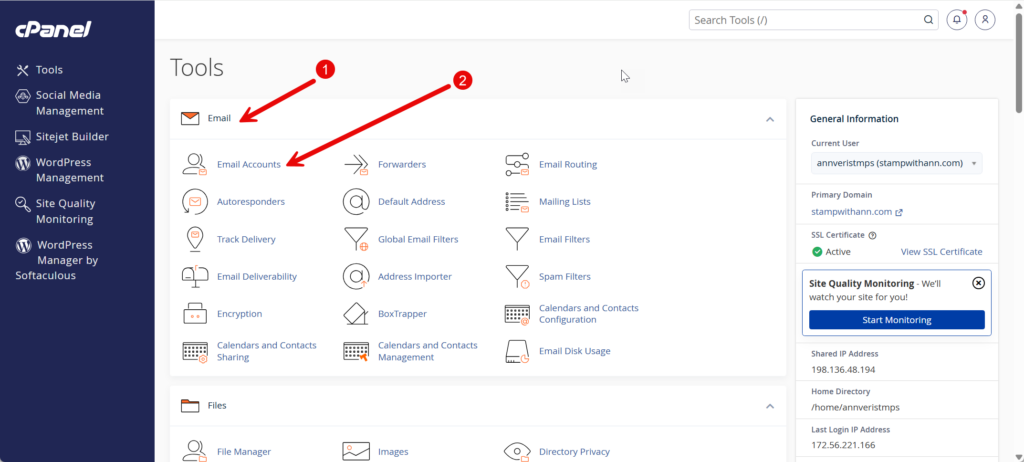
- Navigate to Email section of the ‘Tools’ page
- Click on Email Accounts (see below):
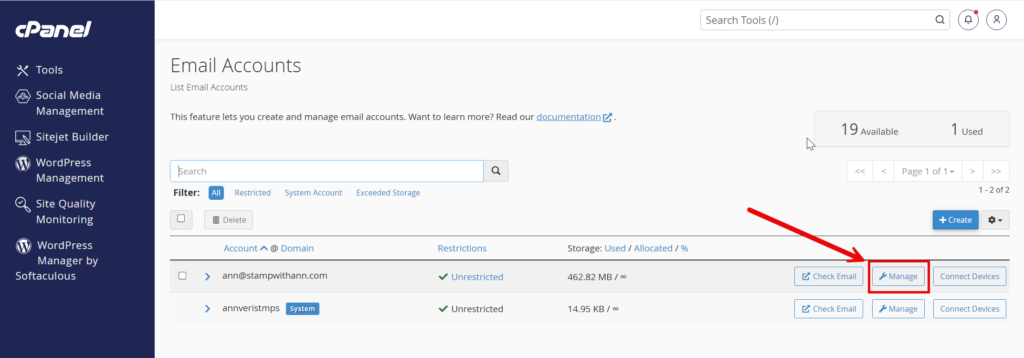
Next, click on ‘Manage’ on the left of the mailbox you wish to clean up (see below):
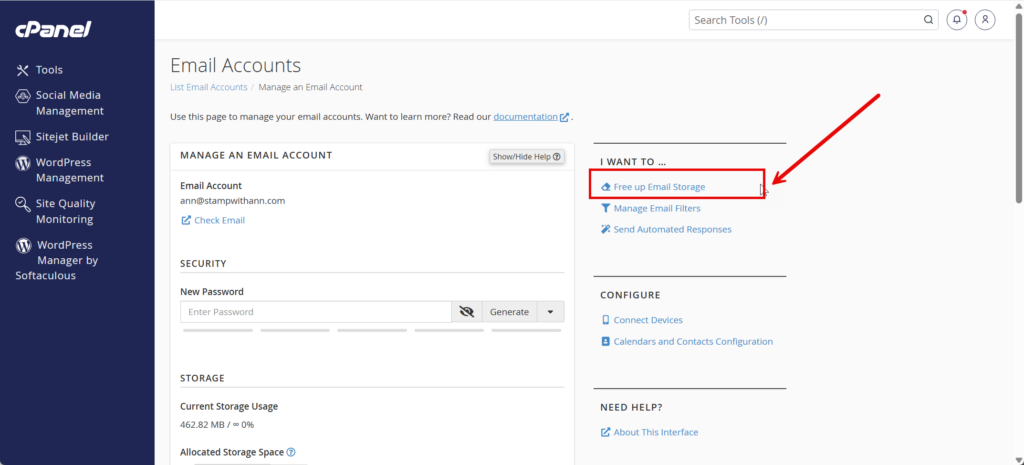
On the left, click on ‘Free up Email Storage’ on the right hand side under ‘I want to…’
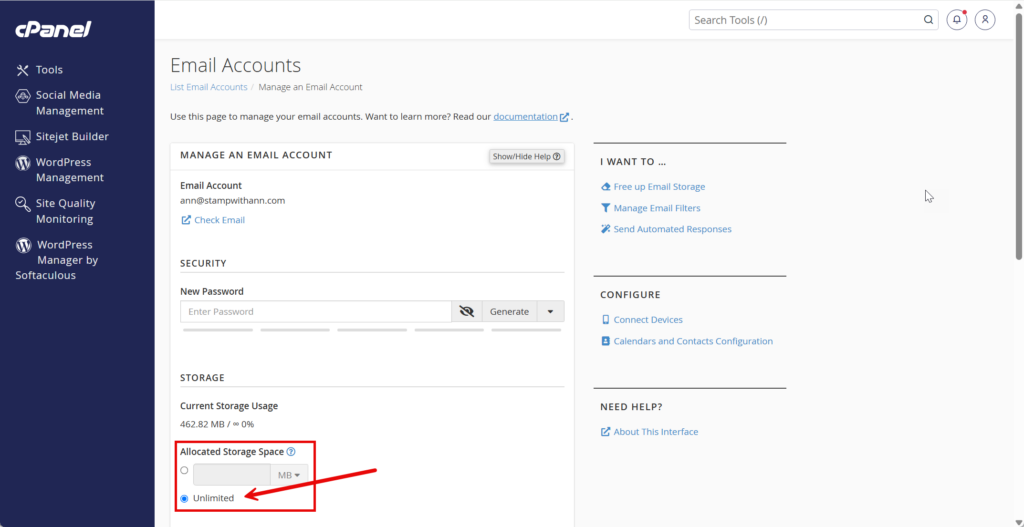
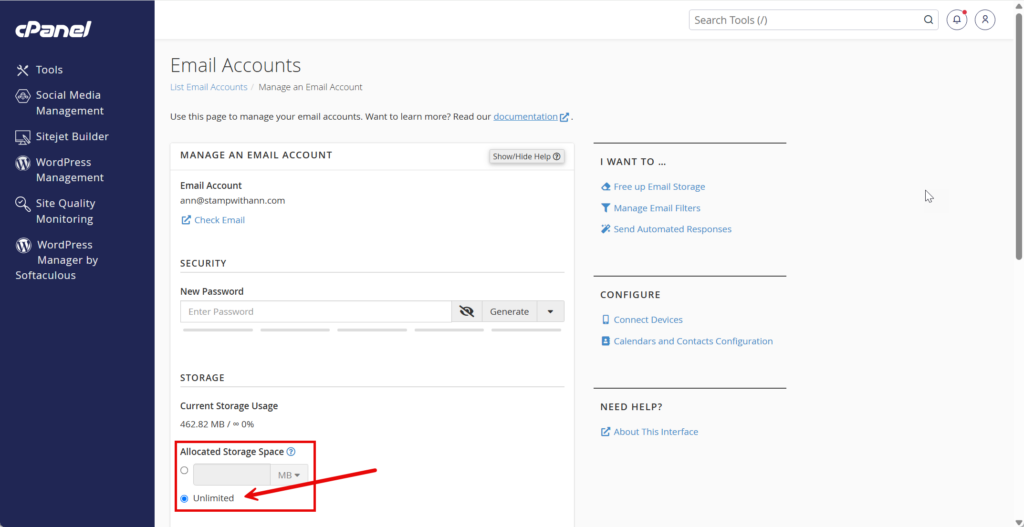
Scroll down to Storage and select ‘Unlimited’. If you don’t have that option, go to the next step
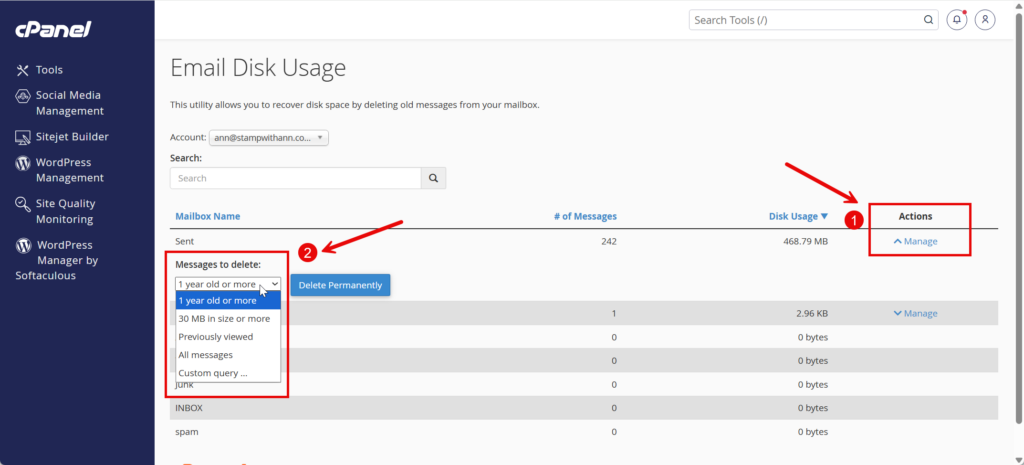
Under ‘Email Disk Usage’, click on ‘Manage’ under Actions (only mailbox folders with emails will have that option), a pop up menu will show up on the left with options to bulk delete emails.
Another option is to add space to your mailbox. Go back to the >Email Account >Manage menu (see below) and this time scroll down to ‘Storage’ and click on ‘Unlimited’ (if you don’t have that ability, open a ticket and I will fix that).
Below are video instructions, if you have difficulty viewing it, click here to view online.